LED wall glossary.
48 terms, in plain English.
Quotes and spec sheets for LED walls are full of jargon: pitch, nits, SMD, GOB, IP65, receiving cards, asynchronous control. Here is what each term means and why it matters to you as a buyer. Bookmark it before you compare quotations.
Terms A to Z, grouped by topic.
The distance in millimetres between the centres of two neighbouring LED pixels, written as P1.5, P2.5, P4 and so on. Smaller pitch means more pixels on the same size and a sharper picture up close. Rule of thumb: about 1 metre of comfortable viewing distance per 1 mm of pitch. More ›
LED walls with a pitch of about 2.0 mm or smaller (P1.2, P1.5, P1.8, P2.0), used where people stand close: receptions, boardrooms, jewellery counters, studios.
How far the nearest viewer stands from the screen. It decides the pitch: closer viewers need a finer pitch so they do not see individual pixels. More ›
The number of pixels across and down a wall. On an LED wall it follows from size and pitch: a wall 3 metres wide at P2.5 is about 1,200 pixels across.
The unit of screen brightness (candela per square metre). Indoor LED walls run up to 600 nits; outdoor LED walls up to 4,500 nits so they read in daylight. After dark about 500 nits is enough; more is glare. More ›
A light sensor or schedule that lowers brightness at night and raises it in daylight, saving power and avoiding glare.
How many times per second the LEDs are redrawn, in hertz. A high refresh rate keeps the picture free of flicker and scan lines on phone and video cameras, which matters for stages, ballrooms and showrooms. More ›
How many steps of brightness each colour can show. More steps give smoother gradients and better detail in dark scenes.
The difference between the brightest white and the darkest black a screen can show. Black LED surfaces give LED walls deep blacks.
How far to the side a viewer can stand before colour and brightness change. Matters for corridors and walls seen from both sides of a room.
The smallest replaceable building block of an LED wall: a board carrying the LEDs and their driver chips, commonly 320 × 160 mm. If pixels fail, one module is swapped.
The frame that holds a group of modules, the power supply and the receiving card. Cabinets bolt together to make the wall.
A light, precise cabinet cast from aluminium. Easy to align for flat, seamless walls, common indoors and for front-service builds.
Surface-Mounted Device: red, green and blue chips in one small package. Used for most indoor and fine-pitch outdoor LED walls.
Dual In-line Package: separate red, green and blue LEDs with legs, very bright and robust. Used on some large outdoor screens such as P5 hoardings.
Chip On Board: LED chips bonded directly onto the board and sealed, used for very fine pitches. More robust surface, different repair approach.
Glue On Board: a clear protective layer over SMD LEDs that guards against knocks, dust and moisture. Useful where people can touch the screen.
Ingress Protection: two digits for dust and water protection. PixelSpot outdoor cabinets are IP65 at the front and IP54 at the rear; indoor cabinets are IP43. More ›
A wall whose modules come out from the front, usually held by magnets. It can sit flat against a wall with no access space behind. More ›
A wall serviced from behind, which needs a walkway or catwalk at the back. Common on hoardings and large outdoor screens.
The card inside each cabinet that takes the video signal and drives the modules in that cabinet.
The box that takes video from a computer, media player or camera and sends it to the receiving cards. Its capacity must match the wall's resolution.
A controller that also scales, switches and mixes several inputs, used on stages and in control rooms.
The wall shows exactly what a connected computer shows, live. Used for events, presentations and broadcasts.
The wall plays a stored playlist on its own, with no computer attached. Used for signage, menus and hoardings.
Converts mains power for the modules. A wall has many, each feeding a group of modules.
Maximum power is drawn on a full-white, full-brightness picture; average power is what a normal video playlist uses, typically well below maximum. Electricity costs follow average power.
The joint between cabinets. A well-built LED wall shows no visible seam; an LCD video wall always shows bezels.
The black border around an LCD panel. When LCDs are joined into a video wall, bezels form black lines across the picture. More ›
A wavy interference pattern that can appear when a camera films an LED wall. Fine pitch and high refresh rates reduce it.
How warm or cool white looks, in kelvin. Set at handover to suit the room's lighting.
How evenly brightness and colour match across all modules. Mixing modules from different production batches can show patches.
A pixel that stays dark or stuck on one colour. Fixed by swapping the module; PixelSpot LED walls carry a 2-year pixel-to-pixel warranty.
Extra modules from the same batch, kept for repairs so replacements match in colour.
A ghost of a static image that stays on a screen. A known risk on LCD and especially OLED screens showing static logos; LED walls do not retain images this way, though static areas age slightly faster. More ›
An LCD screen built for business use: long daily running hours, built-in media player, portrait mounting, locked controls. Up to about 98 inch. More ›
Several thin-bezel commercial LCDs joined in a grid. Sharp up close, but with visible bezel lines. More ›
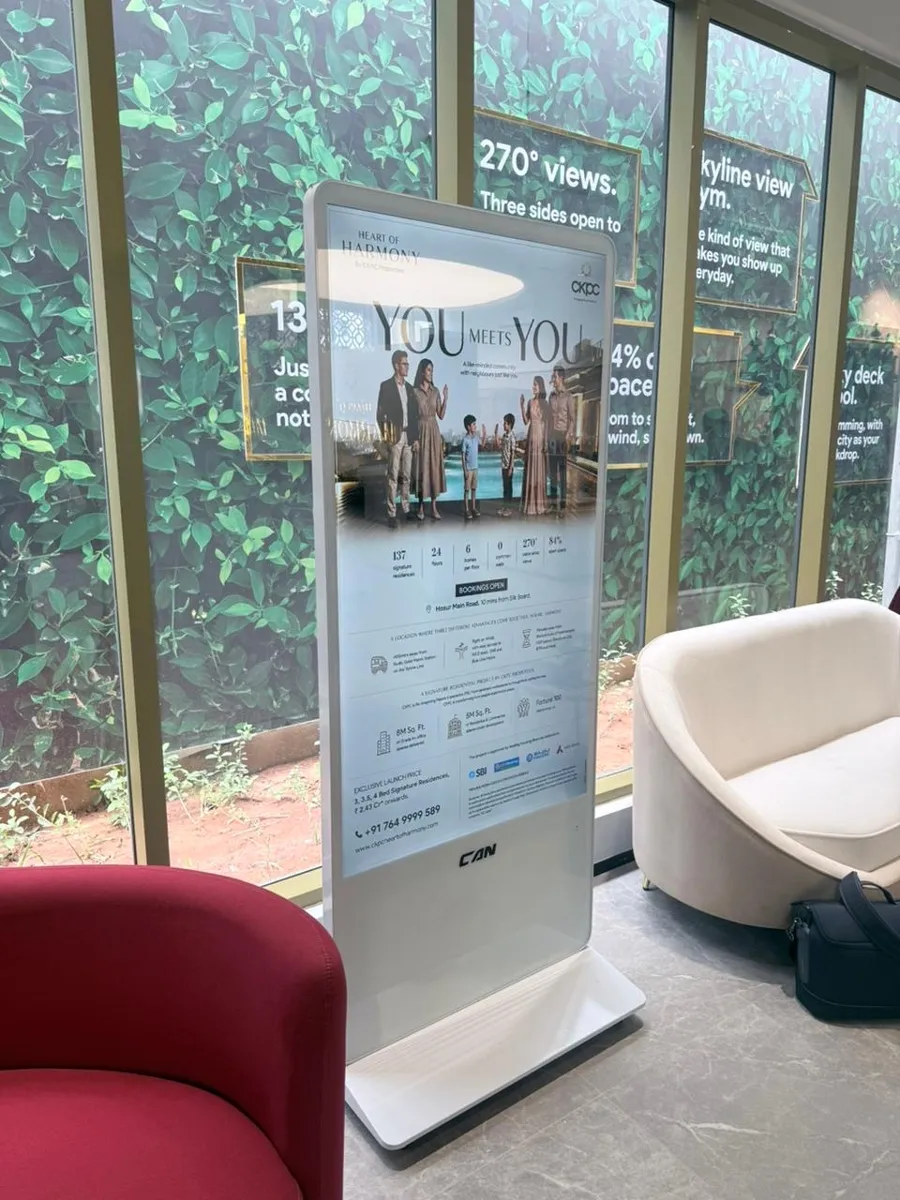
A freestanding portrait screen on its own base, replacing a printed standee. Available in LED and LCD. More ›
An outdoor LED screen on a structure, replacing a printed flex hoarding. Typically P4 to P6 for road distances. More ›
Screens that show scheduled business content (menus, offers, wayfinding) managed from software instead of print. More ›
Content Management System: software to upload, schedule and monitor content on screens. PxlOS is PixelSpot's cloud CMS. More ›
Scheduling different content by time of day: breakfast menu in the morning, dinner offers at night.
Digital Out-Of-Home advertising: ads shown on screens in public places such as roads, malls and transit. More ›
The steel frame or wall fixing that carries the screen. Outdoors it must also handle wind load; checked at the site survey.
A protective coating on electronics against moisture and corrosion, important for outdoor screens through the monsoon.
Proper earthing and a surge protector protect the screen from lightning and power spikes; the site must provide them.
Annual Maintenance Contract: paid service cover after the warranty period. More ›
LED display panels are billed under an HSN code with GST at 18%. More ›
Questions.
What does P2.5 mean on an LED wall?
P2.5 means a pixel pitch of 2.5 mm: the centres of neighbouring pixels are 2.5 mm apart. It is comfortable to watch from about 2.5 metres and is a common choice for indoor halls, stages and shop walls.
What is the difference between SMD and DIP LEDs?
SMD packs red, green and blue chips into one tiny package and is used for most indoor and fine-pitch outdoor walls. DIP uses separate LEDs with legs, very bright and robust, used on some large outdoor screens.
What do IP65 and IP54 mean?
They are ingress protection ratings. IP65 means dust-tight and protected against water jets; IP54 means protected against dust and splashing water. PixelSpot outdoor cabinets are IP65 at the front and IP54 at the rear.
What is a receiving card in an LED wall?
The card inside each cabinet that receives the video signal from the controller and drives the LED modules in that cabinet.
Keep learning.
Got a quote full of jargon.
Send it to us on WhatsApp. We will explain every line, even if it is not our quote.