Understand LED walls in 10 minutes.
Six short, hands-on lessons from the people who build LED walls in Bengaluru. See pixel pitch and brightness for yourself, look inside a cabinet, work out a five-year cost with your own numbers, and learn to read any quote line by line. Then compare walls on quality, not just on price.
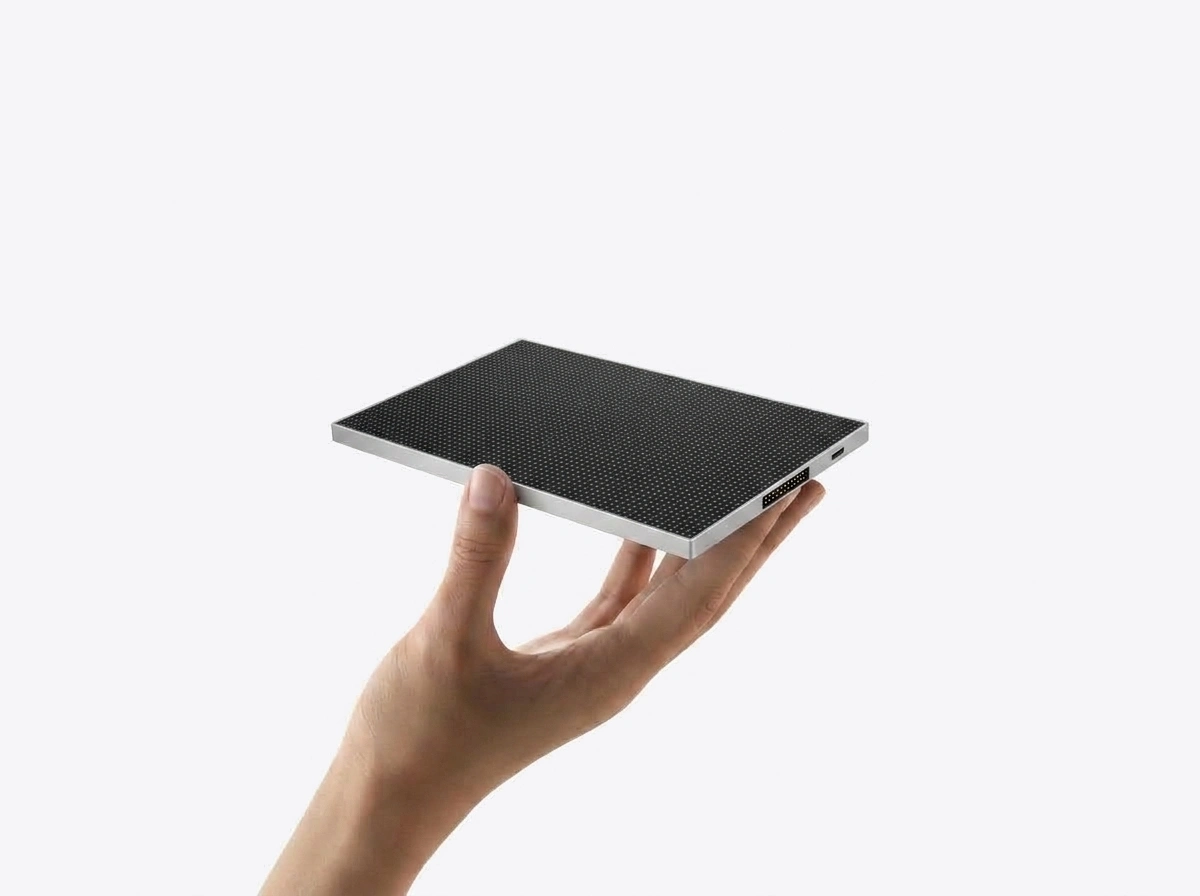
Pixel pitch you can see.
Pixel pitch is the distance, in millimetres, from the centre of one LED pixel to the centre of the next. P2.5 means 2.5 mm. A smaller number packs more pixels into the same wall, so it looks sharper up close and costs more, because it carries more LEDs. A larger number is coarser, but from far enough away the dots merge and nobody can tell.
So the right question is not "how sharp can I get?" but "where will people stand?". Below, the same picture is drawn as LED dots at four pitches, on the same size of wall. Move the slider to the distance of your nearest viewer and watch the dots blend.
True scale draws each LED at about its real size, using a guess of your screen's pixel density. Phones and laptops differ, so treat it as approximate. Distance blur is off: walk back from your screen and watch the dots merge.
Move the slider to see a pitch suggestion.
This is a simulation. We soften each grid as the dots get smaller in your eye with distance; real walls also depend on the content, the LEDs and the brightness. Rule of thumb: about 1 metre of viewing distance for every 1 mm of pitch gives comfortable viewing. Text-heavy content likes a slightly finer pitch; video forgives more.
We build P1.2, P1.5, P1.8, P2.0 and P2.5. Boardrooms with people under 2 m away suit P1.5 to P1.8; shops, lobbies and offices at 2 to 5 m suit P2.5.
P2.5, P3, P4, P5 (DIP), P6, P8 and P10. A shopfront read from the pavement suits P3 to P4; a facade read from the road suits P6 to P10.
Finer than your viewers need adds LEDs, power and cost without looking any better from where they stand.
Go deeper: the pixel pitch guide · viewing distance calculator. At the showroom you can stand at your own distance in front of real walls.
The daylight test.
Brightness is measured in nits (candela per square metre). On its own the number means little. What matters is how bright the screen is against the light falling on it. Sunlight bounces off the screen's face and lifts its blacks to grey; the picture loses contrast and looks washed out. Indoors that hardly matters. On a Bengaluru street in the afternoon, it decides whether anyone can read your screen.
Slide from a room to the afternoon sun and watch three screens showing the same advert.
coffeeOpen till 10 PMNew menu
coffeeOpen till 10 PMNew menu
coffeeOpen till 10 PMNew menu
Simulation. Contrast is worked out from the screen's brightness, a typical reflectance of the screen face and typical light levels (a lit room, open shade, direct afternoon sun). LCD brightness varies by model; we show the bright end of the typical range. Real results depend on the angle of the sun, shading and the exact screen.
Up to 600 nits is right, usually run at 30 to 50% for comfort. More would only glare.
Outdoor-grade, up to 4,500 nits, reads in Bengaluru daylight, with IP65 at the front and IP54 at the rear.
An indoor panel washes out there. Use an outdoor-grade panel. For a west-facing face in the afternoon sun, the survey checks the angle and shading.
What's inside our wall.
From the front, every LED wall looks the same when it is switched off. The difference is behind the face: the modules, the cabinet they sit on, the cards that carry the picture, the power supplies and wiring that feed them, and the controller that runs the whole thing. These are exactly the parts a lower quote can quietly change. Tap a number to see what each one does.
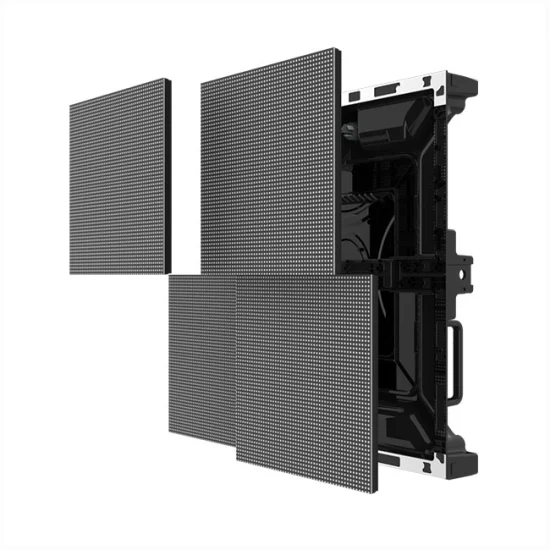
On a front-service cabinet the modules come off from the face, so a module or power supply can be changed without space behind the wall. Read front-service vs rear-service.
LED module
- What it is
- Why it matters
- What a lower quote may leave out
- In a PixelSpot wall
Every one of these parts is covered by our 2-year pixel-to-pixel onsite warranty. You can see the parts on the bench, and a finished wall running, at our Jalahalli factory in Bengaluru.
At the showroom we open a cabinet and show you each of these parts.
Your 5-year cost: LED vs flex vs LCD.
An LED wall costs more on day one than a flex banner. A flex banner costs money every time you change it, and it never changes itself. The fair comparison is over several years. This calculator uses only your numbers: what you pay your printer, how often you change the flex, your electricity tariff, your hours and the price from the LED quote you have in hand. We do not fill in any price of ours.
How this is worked out
- Flex = changes per year × (print + fit-up) × 5 years.
- LED = the price on your quote + 5 years of electricity. Electricity = wall area × average power × hours × 365 days × your tariff.
- Average power uses the figures we measure on our installations: indoor walls about 200 W per m² (about 19 W per sq ft; range 14 to 23) and outdoor walls about 300 W per m² (about 28 W per sq ft; range 23 to 33) on typical content. A full white screen draws much more; normal video averages 25 to 35% of peak. See LED wall power consumption.
- LCD = the price on your LCD quote + its spec-sheet watts × hours × 365 × your tariff (spec-sheet watts are usually a maximum, so this leans high).
- Not included: content design, the electricity for a lit flex box, financing, price rises, and repairs after the warranty. Our walls carry a 2-year pixel-to-pixel onsite warranty; ask any other vendor what theirs covers.
- Nothing you type here leaves your phone. We do not pre-fill any PixelSpot price.
Don't have an LED quote yet? The configurator gives you an estimate and our team calls you with the price. Related: flex banner or LED screen for your shop · LED vs LCD video wall.
From survey to switch-on.
Most faults we are called to fix on other walls were installed badly, not built badly: a frame hung off plasterboard, a wall fed from a shared socket, receiving cards mapped by trial and error. That is why we do every step ourselves, from the first measurement to the day your team runs the wall from a phone.
-
Free
Site survey
We measure the wall with a laser, check what it is made of (RCC, brick, cladding or a partition), photograph your distribution board and note where people will stand. Outside our survey area, you can start with photos and measurements on WhatsApp.
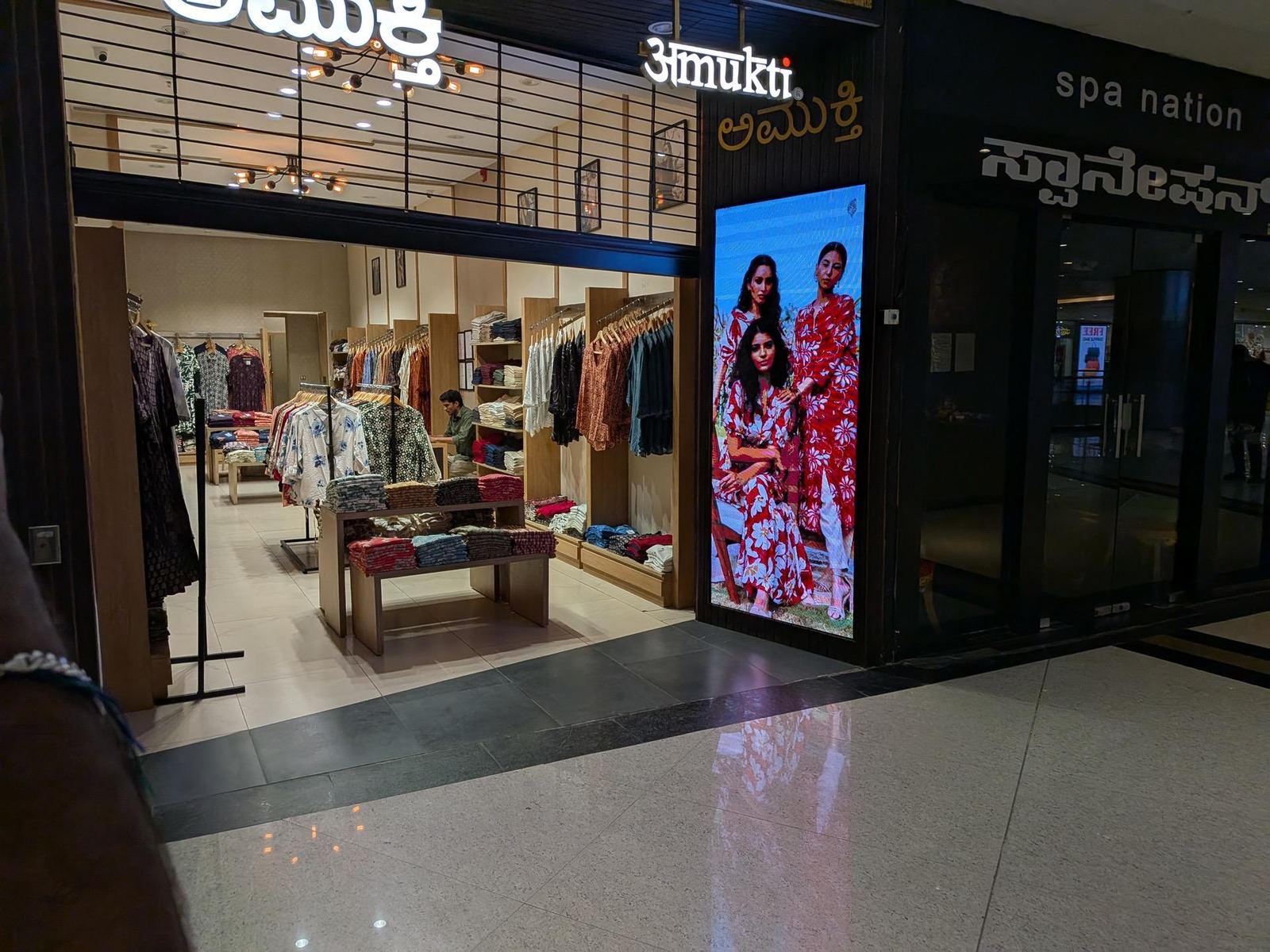
Amukti store, Bengaluru: the display was framed into the entrance pillar measured at the survey, so no floor space was lost. Read the case study. -
Design & 3D mockup
We pick the pitch for your viewing distance, size the wall in whole cabinets, and send a 3D mockup of the wall in your own shopfront, lobby or hall, usually the same day as the survey. You see it before you pay.
-
Factory build & burn-in at Jalahalli
The steel frame is cut, welded and powder-coated to your measurements. Cabinets are assembled with modules from a single batch so the colour stays even, receiving cards are mapped, and the whole wall is burn-in tested at our Jalahalli factory before it ships. You can watch it run on a video call.
-
Delivery
Crated and delivered to your site in Bengaluru and across Karnataka, and by road freight to any city in India.
-
Installation by our own crew
Anchors drilled, frame plumbed and levelled, cabinets hung and locked, power and data cabled, colour and brightness calibrated. The crew is ours, on our payroll; we do not subcontract installation.
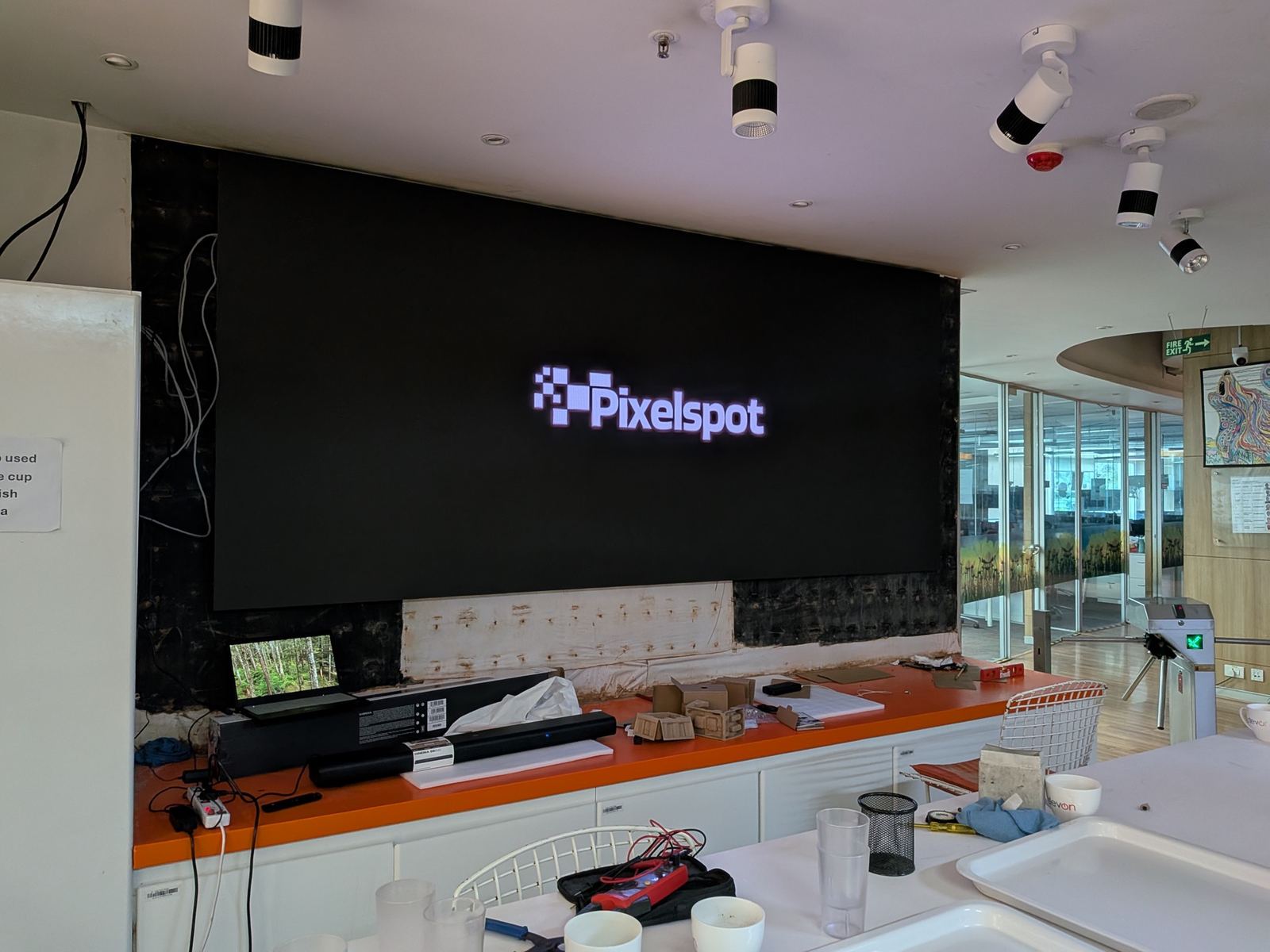
Corporate office, Bengaluru: a projector that washed out under skylights, replaced by a fine-pitch wall built into the existing recess. Read the case study. -
PxlOS training
PxlOS is our own content software: you run the screen from your phone. We register the wall, load your first content and train whoever will run it.
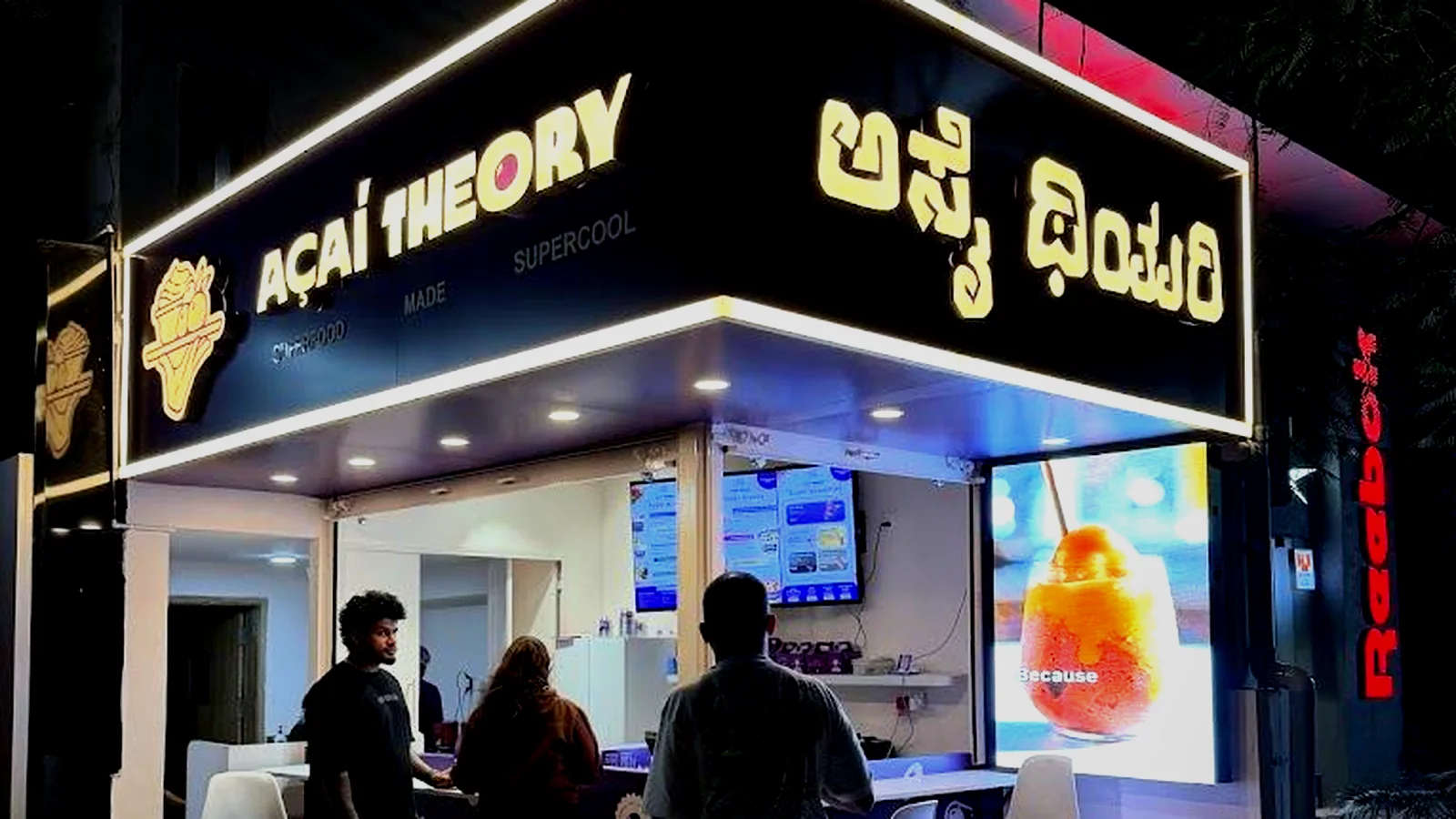
Acai Theory, Indiranagar: the shopfront wall was mounted and commissioned within a day, during closed hours. Read the case study. -
2-year onsite warranty & support
Every wall carries a 2-year pixel-to-pixel onsite warranty. We leave 5% spare modules on site, free, and PxlOS lets us check the wall remotely. When a visit is needed, the people who built your wall come to fix it.
How long it takes: for a typical indoor wall in Bengaluru, our installation process runs from survey to handover in 5 to 7 business days. Small walls can be quicker; a large outdoor facade with a new power connection takes longer, mostly because of the paperwork. Details in LED wall installation in Bangalore.
See walls running at our Bengaluru showroom: No 3, Krupa Complex, Gangamma Circle, Church Road, Jalahalli East, Bengaluru 560013 · Mon–Sat, 9 AM–7 PM.
Check my quote.
Two quotes for "a 10 by 6 ft P2.5 wall" can describe very different walls. Read yours line by line and tick each item it states clearly, in writing. Every line you can't tick is a question to ask the vendor before you sign, whoever the vendor is, including us.
Not sure what a line means? Send us a photo or PDF of any LED wall quote, ours or anyone else's. We'll explain it line by line, so you know exactly what you are comparing.
Send us your quote on WhatsApp — we'll explain it line by lineThe full checklist, with the ten questions to ask any vendor: LED wall buying guide.
Keep learning.
Each product has its own page with sizes, specs and real installations.
Questions buyers ask.
Which pixel pitch do I need?
Start from where the nearest people will stand. A rule of thumb is about 1 metre of viewing distance for every 1 mm of pitch for comfortable viewing: P2.5 suits people from about 2.5 m, P4 from about 4 m. Indoors we build P1.2 to P2.5; outdoors P2.5 to P10. Finer than you need costs more without looking better from where people stand.
How bright should an LED wall be?
Indoors, up to 600 nits is right for rooms, lobbies and showrooms, usually run at 30 to 50%. Outdoors and behind street-facing glass you need an outdoor-grade wall, up to 4,500 nits, which reads in Bengaluru daylight. After dark, anything above about 500 nits glares, so our outdoor walls auto-dim at night.
Why do two LED wall quotes for the same size differ so much?
Because they rarely describe the same wall. Module and chip make, cabinet type, receiving cards, power supplies and wiring, the controller model, spare modules, the warranty terms, the steel structure, transport, installation and GST can each be included, left out or downgraded. Compare line by line, not on the total. Send us any quote on WhatsApp and we will explain it line by line.
Is an LED wall cheaper than changing flex banners?
It depends on how often you change the flex and what each change costs you. The 5-year calculator on this page uses only your numbers: your flex changes per year, your print and fitting cost, your electricity tariff, your hours and the price from your LED quote. If you change flex often, the wall usually pays for itself; if you change it once a year, it may not.
How long does it take from site survey to a working wall?
For a typical indoor wall in Bengaluru, our installation process runs from survey to handover in 5 to 7 business days. Small walls can be quicker; a large outdoor facade that needs a new power connection takes longer, mostly because of the paperwork.
Can I see a PixelSpot wall before I decide?
Yes. Visit our experience centre at No 3, Krupa Complex, Gangamma Circle, Church Road, Jalahalli East, Bengaluru 560013, Monday to Saturday, 9 AM to 7 PM, or ask for a WhatsApp video call from the factory where we run your content on a wall of the pitch you are considering.
Ready to compare walls on quality?
Tell us your size, place and viewing distance. The configurator gives you an estimate, and our team calls you with the price.
Or WhatsApp +91 72048 08334 · call 080 4728 2918
Experience centre: Jalahalli East, Bengaluru · Mon–Sat, 9 AM–7 PM