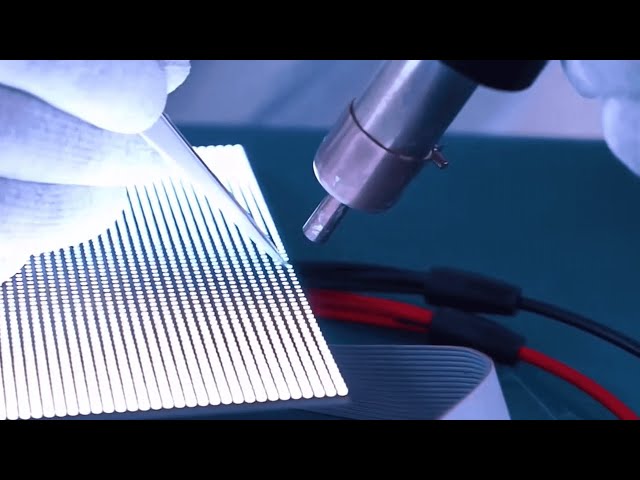
Most buyers spend six weeks comparing pixel pitch and led video wall price, then spend zero minutes thinking about the next 1,800 days of owning the thing. That is backwards. A well-specified P3.91 wall that nobody dusts, nobody dims and nobody feeds fresh content will look tired in eighteen months. A mid-spec wall with a five-minute weekly routine and a sensible content loop will still be pulling footfall in year six. This is the ownership piece — installation day, the service calendar, the faults you will actually see, and what to put on the screen so it earns its keep.
Installation day: what actually happens
A 3m x 2m indoor showroom wall is a one-day job. A 6m x 4m outdoor facade with structure fabrication is three to five days. Here is the honest sequence.
Before the truck arrives — site readiness checklist
- Power at the wall: a dedicated MCB, not a spur off the lighting circuit. Budget roughly 250–350 W per sq.m average for outdoor, 120–180 W per sq.m for indoor, with peak (full white) draw at 2.5x that. A 24 sq.m outdoor wall wants a dedicated 3-phase feed.
- Earthing: a proper earth pit, ideally under 5 ohms. Half of all "mystery flicker" complaints in Indian installs are neutral–earth voltage problems, not panel problems.
- Structure: MS frame fabricated and levelled to within 2 mm across the full span. LED cabinets are unforgiving — a 3 mm step between two cabinets shows up as a visible seam line in a dark scene.
- Signal path: Cat6 runs under 100 m from controller to first cabinet; beyond that, fibre. Decide where the player and controller live — a locked, ventilated rack, not on top of the billing counter.
- Access: for a front-serviceable wall you need only 600 mm of standing room in front. For rear-service you must have committed a full maintenance corridor months earlier.
The build sequence
- Hour 0–1: unboxing and cabinet count. Every cabinet is checked for transit damage before a single bolt goes in.
- Hour 1–3: bottom row goes up first and gets levelled with a laser. Every cabinet after that inherits this row's accuracy, so this is the slowest and most important hour of the day.
- Hour 3–5: stacking, locking and cabling. Power daisy-chains and Cat6 data chains are dressed inside the frame, never left hanging.
- Hour 5–6: receiving card configuration — the cabinet file is loaded, screen dimensions and mapping set, refresh rate fixed at 3840 Hz so the wall does not band on phone cameras.
- Hour 6–7: full-field test patterns. Solid red, green, blue, white and a scrolling grid. Every dead pixel or dim module gets flagged and swapped now, on our time, not on your next weekend.
- Hour 7–8: PixelOS CMS setup, playlist upload, brightness schedule, auto on/off timer, and handover training for whoever will actually operate it.
What to insist on at handover
Ask for a wiring and cabinet map (which cabinet is fed by which port), the config file backed up on a pen drive, spare modules and at least two spare power supplies on site, and the CMS login in the store manager's name — not only the installer's. Also ask for a photo of the completed test pattern. It is your baseline for any future warranty conversation.
A maintenance schedule you will actually follow
The trick is making the routine short enough that the store team does it without a reminder.
| Interval | Task | Time needed |
|---|---|---|
| Weekly | Look at the wall from 5 m with a solid white and solid black slide. Note any dark pixel, dim module or seam. Confirm the loop is playing and the on/off timer fired correctly. | 5 minutes |
| Monthly | Dry microfibre wipe of the front face (indoor). Check cabinet fans are spinning, listen for bearing noise. Verify content is current — remove expired offers. | 20 minutes |
| Quarterly | Full RGB test patterns. Check module screws and mask alignment. For outdoor: inspect silicone beads, cable gland seals and the surge protection device indicator window. Blow out dust from PSU vents. | 1 hour |
| Half-yearly | Structure bolt torque check. Earth continuity measurement. Backup CMS playlists and config file. Audit spare stock. | 2 hours |
| Annually | Brightness and colour uniformity check, recalibration if patches have appeared. Replace any PSU showing bulged capacitors. Pre-monsoon seal inspection for outdoor walls. | Half day |
The ten faults you will actually see — and the fix
- One pixel dark, or one colour missing in a pixel: dead LED lamp. Cosmetic at normal viewing distance. Swap the module at the next service visit; covered under pixel-to-pixel warranty.
- One module fully black, neighbours fine: loose HUB ribbon or dead module. Pull the module from the front, reseat the connector, retest. Ninety seconds.
- Half a cabinet dark: one of the two power supplies in that cabinet has failed. Swap the PSU from your spares box.
- Whole cabinet black: mains at that cabinet, or the power daisy-chain connector. Meter the input before touching anything else.
- Cabinet showing noise, garbage colours or a shifted image: receiving card or the Cat6 link into it. Swap the cable first — it is free — then the card.
- Everything from one cabinet onwards is black: a break in the data chain. The last good cabinet tells you exactly where to look.
- Screen shows "no signal" blue: player, HDMI cable or sending card. Nothing to do with the panels.
- Wall looks fine to the eye but bands on phone video: refresh rate set too low. Push it to 3840 Hz in the controller software.
- Dim or colour-shifted patches: mixed module batches or genuine ageing. Fix with point-by-point calibration, not by cranking overall brightness.
- Dead after heavy rain: water ingress through a failed gasket or an unsealed gland. Power down, dry out, reseal — and treat it as a warning that the pre-monsoon inspection was skipped.
How to make panels last past year five
LED lamps are rated around 100,000 hours to half brightness, but nobody's wall dies of lamp fatigue. Power supplies, driver ICs and heat kill screens first. Four habits matter:
- Do not run at 100% brightness indoors. A P2.5 or P3 indoor wall at 800–1200 nits is painful at 60–70% in an air-conditioned showroom. Running at 60% roughly halves thermal stress and power bill.
- Use the ambient light sensor outdoors. A 6500-nit facade needs full output at 2 pm and about 15% at 10 pm. Auto-dimming is the single biggest lifespan and electricity saving on an outdoor wall.
- Schedule off-hours. Sixteen hours a day instead of twenty-four is a 33% reduction in run hours. Set it in the CMS so it does not depend on someone remembering.
- Avoid static full-white content. A permanent white logo panel ages those pixels faster than the rest. Move it, animate it, or drop it to 80% white.
Keep 3–5% of your module count as spares, plus two PSUs and two receiving cards. On a 24 sq.m P3.91 wall that is roughly ten modules — cheap insurance that turns a week-long downtime into a ten-minute fix.
Content that actually sells on an LED wall
A screen is not a TV. People walking past your led wall for showroom give it three seconds, not thirty.
- 8–12 second spots, 6–8 spots per loop. A 90-second loop means a customer waiting at billing sees the whole story once.
- One idea per spot. Product, price cue, action. Not three offers competing for the same three seconds.
- Size text by distance. Roughly 25 mm of cap height per metre of viewing distance. At 15 m, your smallest readable text needs to be about 375 mm tall on screen.
- Respect the pixel pitch. P10 outdoor cannot render thin fonts or dense body copy. Bold weights, high contrast, minimum stroke width of 2–3 pixels.
- Daypart it. Breakfast creative till 11 am, offers at lunch, family and evening creative after 6 pm. It takes ten minutes in PixelOS and measurably lifts response.
- Refresh monthly. Staff and regulars stop seeing content after about four weeks. A stale loop is the most common reason owners think "the screen isn't working".
Getting the buying side right first
Ownership is easier when the spec was honest to begin with: front-serviceable cabinets so a module swap does not need scaffolding, Hikvision or Qiangli modules with consistent bin quality, a 2-year pixel-to-pixel warranty, and factory-direct supply so spares arrive from Bengaluru rather than a three-week import cycle. Live, transparent configurations and current pricing for indoor and outdoor pitches are published on pixelspot.in — no quote-chasing required.
Planning a wall, or inheriting one that needs a service contract? Send us your wall size, pixel pitch and location on WhatsApp via the button on pixelspot.in, and we will come back with a configuration, an installation timeline and a maintenance plan you can actually run in-house.