Explainer
Pixel pitch, explained. From P1.2 to P10.
One number decides how sharp an LED wall looks, how close people can stand and most of what it costs. Here is what it means, in plain terms and real pixels.
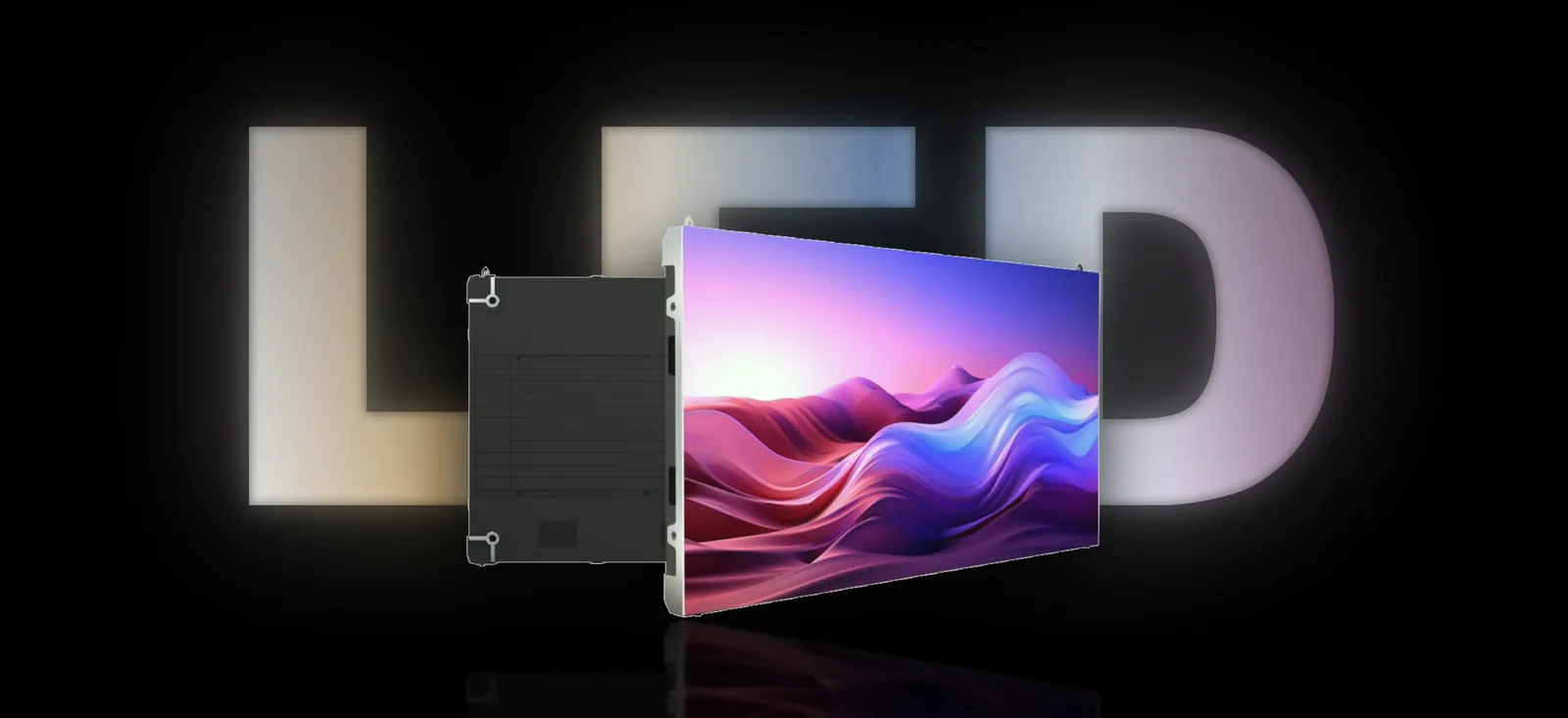
Every LED wall quote in Bengaluru leads with a letter and a number: P2.5, P1.8, P4. That number is the pixel pitch, and it quietly decides three things at once: how sharp the picture looks, how close people can stand, and most of what the wall costs. Understand it once and every quote after that starts to make sense.
The short version
- Pixel pitch is the distance, in millimetres, from the centre of one pixel to the centre of the next. P2.5 means 2.5 mm.
- Halve the pitch and you get four times the pixels. That is why fine pitch costs so much more.
- The closest comfortable viewing distance in metres is roughly the pitch number. P2.5 looks clean from about 2.5 m.
- A 10 × 6 ft wall at P2.5 is 1,280 × 768 pixels. Plenty for video across a room. Not a desktop monitor.
- Picking a pitch for your own space is a separate decision, and our guide to choosing pixel pitch walks through it.
What does pixel pitch actually measure?
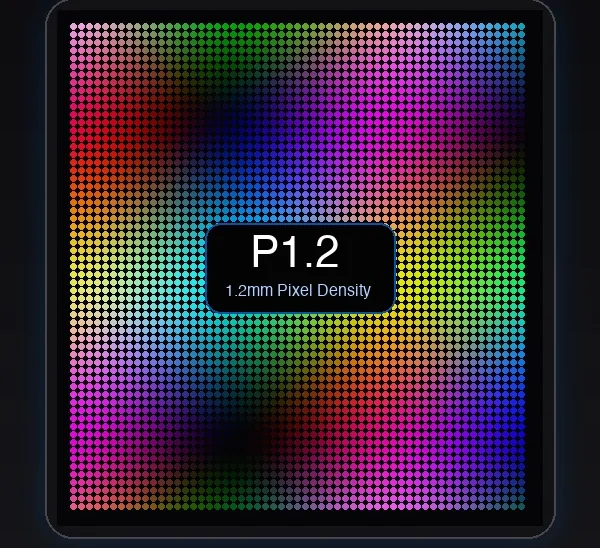
Stand a few centimetres from any LED wall and the picture dissolves into a grid of tiny lights. Each point in that grid is one pixel: a red, a green and a blue LED sitting together, mixed at different strengths to make any colour. Pixel pitch is the gap from the centre of one pixel to the centre of its neighbour. Smaller number, tighter grid, sharper picture up close.
The names on quotes are rounded. In the 320 × 160 mm module that most indoor walls are built from, “P1.2” is really 1.25 mm, “P1.5” is 1.53 mm and “P1.8” is 1.86 mm. The number that cannot be rounded is the module resolution. A true P2.5 module of that size carries 128 × 64 pixels; a P1.8 module carries 172 × 86. If two vendors both say “P1.8” and list different module resolutions, they are not selling the same thing.
Why do pixels multiply so fast as pitch shrinks?
Pitch is measured in one direction, but pixels fill an area. Pixels per square metre is simply (1,000 ÷ pitch)². Halve the pitch and you double the pixels across and double them down, so the total goes up four times, not two.
Every one of those pixels is three LEDs plus its share of the driver chips that switch them thousands of times a second. So cost follows pixel count, though not perfectly. Indoor P1.2 is about ₹13,100 per sq ft + GST against ₹5,450 per sq ft + GST for P2.5: roughly three times the price for four times the pixels. The full price table by pixel pitch shows the same curve at every step.
How far away should people stand from each pitch?
The rule of thumb is easy to remember: the closest comfortable distance in metres is about the pitch in millimetres. P2.5 from 2.5 m. Outdoor P4 from 4 m. P10 from 10 m. Come closer than that and your eye starts to pick out the dots. Photos look as if they are behind a fine mesh, and small text breaks apart.
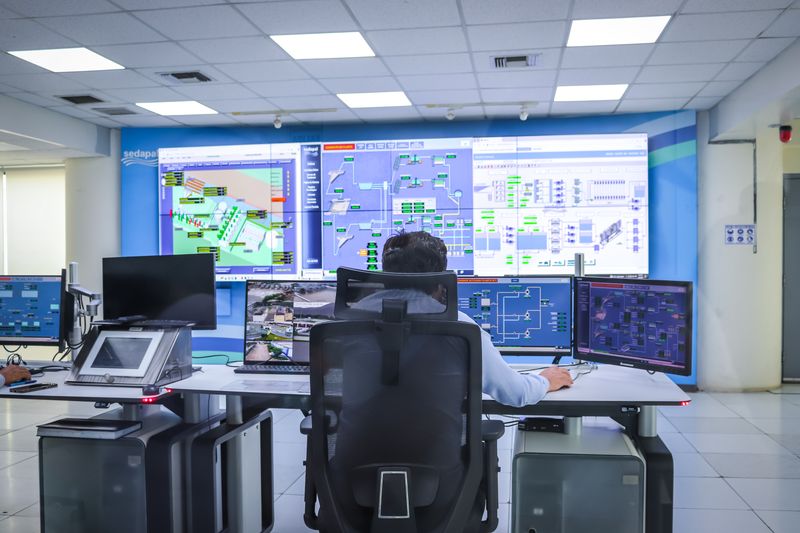
The image is at its finest from two to three times that distance, which is why a P2.5 wall looks its best from around 5 m. The reverse is just as true. Beyond a certain distance the eye cannot separate the pixels at all, so a finer pitch becomes invisible. From 6 m, P1.8 and P2.5 look the same. Paying for a pitch finer than your audience can see is the most common way people overspend on an LED wall. Two rooms show the two ends: a sports bar match wall, where the nearest stool is 2.5 m away and P2.5 is right, and a control room wall, where operators read small text from 1.5 m and need P1.5.
| Pitch | Module (320 × 160 mm) | Pixels per sq ft | Comfortable from |
|---|---|---|---|
| P1.2 indoor | 256 × 128 | 59,458 | 1.2 m |
| P1.5 indoor | 208 × 104 | 39,687 | 1.5 m |
| P1.8 indoor | 172 × 86 | 26,854 | 1.8 m |
| P2.0 indoor | 160 × 80 | 23,226 | 2 m |
| P2.5 indoor | 128 × 64 | 14,864 | 2.5 m |
| P4 outdoor | 80 × 40 | 5,806 | 4 m |
| P5 outdoor | 64 × 32 | 3,716 | 5 m |
| P10 outdoor | 32 × 16 | 929 | 10 m |
Pixels per sq ft from (1,000 ÷ true pitch)². The viewing distance calculator covers every pitch in between.
What resolution will a real wall give you?
LED walls are built from whole modules, so real sizes round up. A “10 × 6 ft” wall is 10 modules across and 12 down: 3.2 × 1.92 m, a little over 10 by 6 feet. At P2.5, with 128 × 64 pixels per module, that gives 1,280 × 768 pixels. The same arithmetic works for any size. Count the modules, multiply by the pixels on each.
| Wall | Built size | P2.5 | P1.8 | P1.5 |
|---|---|---|---|---|
| 8 × 4 ft | 2.56 × 1.28 m | 1,024 × 512 | 1,376 × 688 | 1,664 × 832 |
| 10 × 6 ft | 3.2 × 1.92 m | 1,280 × 768 | 1,720 × 1,032 | 2,080 × 1,248 |
| 12 × 8 ft | 3.84 × 2.56 m | 1,536 × 1,024 | 2,064 × 1,376 | 2,496 × 1,664 |
| 16 × 9 ft | 5.12 × 2.88 m | 2,048 × 1,152 | 2,752 × 1,548 | 3,328 × 1,872 |
Built from 320 × 160 mm modules. Pixels are width × height.
How to read it: Full HD video is 1,920 × 1,080, and the controller scales any video to fit the wall. At 1,280 pixels across, a film or a product shot looks clean from where people actually stand. What suffers first on a coarse wall is small text, which is why a spreadsheet wants more pixels than a brand film. A 16 × 9 ft wall at P2.5 already has more pixels than Full HD. The LED wall size calculator gives the built size and pixel count for any wall you have in mind, so your designer can make content at the exact resolution. An auditorium is the opposite case: slides read from the last row, where size matters more than pitch, as the college and school auditorium guide shows.
The rule
Closer eyes. Finer pitch.
Everyone further away sees the same picture on a coarser, less costly wall.
SMD or DIP: two ways to build a pixel
Pitch tells you how far apart the pixels are. The package tells you how each pixel is made.
SMD
A surface-mounted device seals the red, green and blue chips into one tiny package soldered flat onto the board. Because the package is small, pixels can be packed tightly, colours blend evenly even up close, and the picture holds its colour when you look from the side. Every indoor pitch we build is SMD, from P1.2 to P2.5, and so are our outdoor P2.5, P3, P4 and P6.
DIP
The older design uses three separate lamps, each with its own lens, pushed through the circuit board. DIP pixels are very bright and very rugged, but they cannot be packed closely, so they belong on coarse outdoor walls read from a distance. At PixelSpot, outdoor P5 is the DIP pitch, built for facades seen from 5 m and beyond.
What pixel pitch does not tell you
Pitch is resolution, and only resolution. Two P2.5 walls from two vendors can look very different on the day, because several other numbers decide the picture:
- Brightness in nits. Enough to beat the light on your site, and able to dim. Our guide to LED wall brightness has the figures by location.
- Refresh rate and grey scale. These decide whether the wall flickers on phone cameras and stays smooth in dark scenes. See refresh rate, explained.
- Module resolution. The honest proof of the pitch on the quote.
- Controller model. Novastar or Huidu on every PixelSpot wall, named on the quote.
Where to go next
This page explains what pitch is. Choosing one for your shop, lobby, hall or facade is its own job, done with a tape measure, a look at your content and a budget. That is what the next guide covers.
One last thing to hold on to: the right pitch is the coarsest one your nearest viewer cannot see through. Anything finer is money spent on detail nobody will notice. When you have a wall size in mind, the LED wall configurator prices it at every pitch in about a minute.
Questions? Answers.
What does P2.5 mean on an LED wall?
Is a smaller pixel pitch always better?
How do I work out the resolution of an LED wall?
Is P1.2 really 1.2 mm?
What is the difference between SMD and DIP LED?
See it running. Then decide.
Send your wall size on WhatsApp for a same-day price, or see indoor and outdoor walls running at our Jalahalli East experience centre in Bengaluru.
Prices are estimates: installed, controller extra, plus 18% GST. See every price